


Meescan
4.65.00 Reviews
App Specs
- Version
- 5.00.18
- Updated On
- License
- Free
- Downloads
- 10,000+
- Developer
- Meescan Inc.
- Categories
- Libraries & Demo
- Platform
- Android
Screenshots
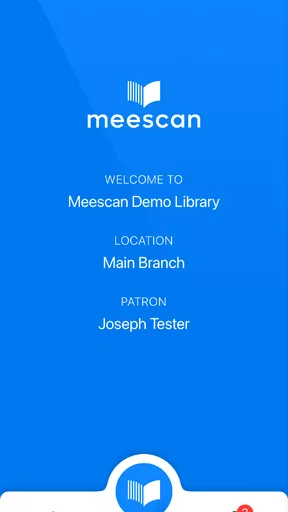

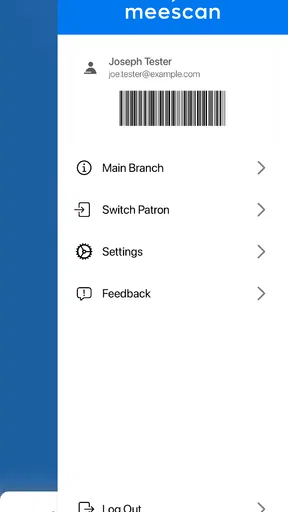
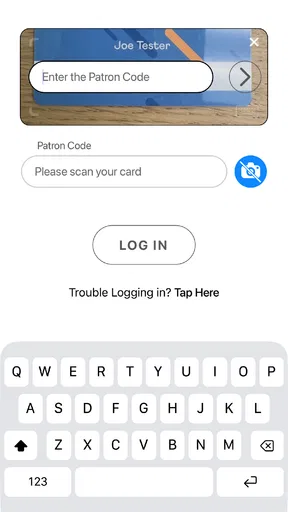
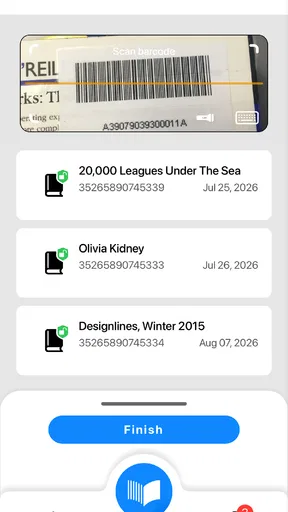
 Analysis by AppCompare
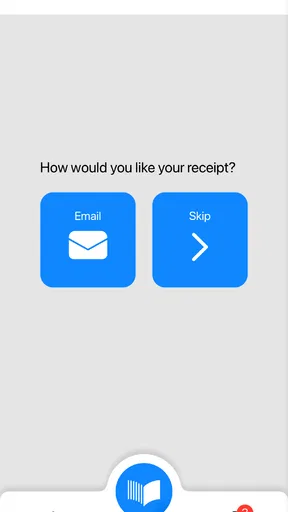
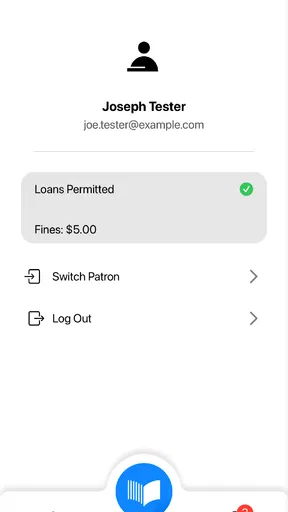
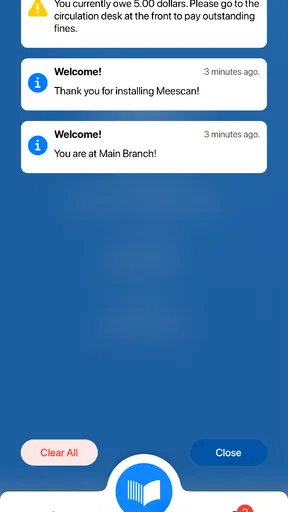
I approached Meescan as a practical library tool rather than a general shopping app. Its purpose is easy to understand from the first screen: it puts a self-checkout experience on a phone. That makes it most interesting for people who already use a participating library and want a quicker way to handle borrowing tasks without standing in a traditional checkout line.
The app is free, carries an Everyone age rating, and comes from Meescan Inc. It sits in the Libraries & Demo section, which is a good description of its role: this is a focused utility built around a specific library workflow, not an entertainment app or a full digital reading platform. I found that distinction important because it sets the right expectation before installation. You are not downloading a replacement for every library service; you are trying to make the physical borrowing step more convenient.
What to expect before using Meescan
The first thing to understand is that the app’s usefulness depends on the library environment around you. A self-checkout app only becomes meaningful when your library supports the Meescan process and has the necessary setup for patrons to use it. If your library does not offer that option, the app will not magically turn an ordinary checkout desk into a mobile service.
That dependency is not a flaw unique to this app, but it is the main trade-off. A library catalog app can often be useful anywhere because you can search titles, manage lists, or check account information. Meescan is narrower and more action-oriented. Its value appears when you are physically ready to borrow materials and want your phone to handle the checkout step.
In my view, that narrow focus is also its strength. There is less distraction than in a large library app packed with catalog browsing, event calendars, recommendations, and account menus. If your goal is simply to move from “I have selected my books” to “these items are checked out,” a dedicated tool can feel more direct than navigating a broad library system.
The app has been available since March 13, 2016, and its current version is 5.00.18. It supports devices running Android 8.0 or newer. Those details matter for first-time users with an older phone: before planning to rely on it during a library visit, check that your device meets the minimum operating-system requirement. A quick compatibility check at home is less frustrating than discovering a problem at the checkout area.
Its public reception is positive, with a 4.6 average from around nineteen ratings and five written reviews. The install count is over ten thousand, so it is a specialized tool rather than a mass-market app. I would not judge it by the same expectations I would apply to a major retail or payment platform. Its audience is smaller because its usefulness is tied to participating library services.
Worth Reading Before You Choose

Flipboard Shows What News Apps Must Do Beyond the Feed

Switching to Android Auto Means Rethinking Your Driving Routine

Google Calendar Makes a Crowded Week Easier to Manage

Ludo King Makes the Most of the Minutes Between Plans

Baby Panda World Brings Quick Play to Modern Phones, but Its Game Library Feels Busy

ESPN’s Live Game View Makes Following Close Games Easier
Who is likely to appreciate it
Meescan makes the most sense for regular library visitors who already know what they want to borrow. It can also suit parents carrying several books, students moving quickly between classes, or anyone who dislikes waiting at a staffed desk for a straightforward transaction. The best user is comfortable using a phone while handling physical items and prefers a short, focused workflow.
It is less suitable if you need help choosing materials, resolving an account issue, asking about overdue items, or discussing a borrowing question with library staff. In those situations, the normal desk remains the better option. A mobile checkout process can reduce friction, but it cannot replace human assistance when the issue is more complicated than scanning and confirming items.
Getting from installation to the first useful result
I find the first useful step is checking whether your library offers Meescan checkout before you build it into a visit. That small bit of planning helps you arrive with the right expectations and gives you room to learn the flow without holding up your trip. From there, the section looks at how to approach a first checkout thoughtfully and make the result easy to verify.
Start with the library, not the app
Before opening Meescan, I would first confirm that your library supports it. This is the most useful preparation step, and it prevents a common misunderstanding: installing the app alone does not guarantee that every library branch or collection will be ready for mobile self-checkout. Look for instructions from your library, signage near the checkout area, or guidance from a staff member.
Once you know the service is available, install the free app on a compatible phone. Keep the first attempt simple. Choose a normal visit when you have enough time to read the on-screen prompts rather than trying it for the first time while a line is forming behind you. A calm first session makes it easier to learn the sequence and notice what the app expects from you.
Because Meescan is a library-specific utility, the setup experience may feel different from installing a typical standalone app. The important question is not whether the app looks elaborate; it is whether it connects you to the checkout process your library has arranged. Follow the library’s instructions closely, especially if they identify a particular area, sign, or procedure for mobile checkout.
Prepare the items and your phone
Have the materials you want to borrow together before beginning. This sounds obvious, but it makes a difference with a scanning-based workflow. If books are spread across a table, tucked into a bag, or mixed with items you are not borrowing, it becomes easier to lose track of what has already been processed.
I recommend keeping the phone screen awake, cleaning the camera area if the app uses the phone to identify items, and holding one item at a time in a steady position. These are practical habits rather than special features, but they reduce the small interruptions that make self-checkout feel unreliable. Good preparation is especially useful when borrowing several items in one visit.
Do not rush to leave immediately after the last item appears to be processed. Take a moment to review the result shown by the app and compare it with the physical stack in your hands. That simple pause is one of the best safeguards against accidentally overlooking an item or assuming that a partial scan completed the whole transaction.
The first successful action
Your first meaningful success is not merely opening the app. It is completing a real checkout and being confident that the physical items in your possession match what the app accepted. Start with one or two items if you are learning. A small test is easier to understand than beginning with a large pile and then trying to diagnose which part of the process went wrong.
Follow the prompts in order and give each step time to register. If the app asks you to position an item, move it into a clear view rather than waving it quickly across the phone. If the screen changes after an item is recognized, read that change before continuing. The fastest workflow is usually the careful one, because repeated failed attempts take longer than a deliberate scan.
After the first item is accepted, compare the app’s confirmation with the item itself. Then continue with the remaining materials one by one. This creates a reliable mental model of the process: present an item, wait for the response, verify it, and only then move to the next one. Once that rhythm becomes familiar, the experience should feel much less intimidating than the phrase “self-checkout” may suggest.
The most important habit is to verify the completed borrowing action before walking away. A self-service tool saves time only when you leave knowing what happened. If anything looks unclear, stop and ask library staff rather than guessing. That is not a failure of the app; it is sensible use of a service connected to your library account and physical materials.
Where first-time users may get confused
The app’s focused role can be easy to misread if you expect a full library service on your phone. I would separate planning and account questions from the moment of borrowing, then pay close attention to what the checkout prompts ask you to do. The next section considers common points of uncertainty and how to decide when it is wiser to ask staff for help.
Confusing checkout with catalog access
One likely source of confusion is expecting Meescan to behave like a full library catalog. Its identity is centered on self-checkout, so someone looking for detailed title discovery, reading suggestions, or broad account management may find the experience too limited. I would use a catalog or the library’s main digital service to plan what to borrow, then use Meescan for the physical checkout step if the library supports it.
This division can actually produce a smoother routine. Search and decision-making are easier when you are not standing among shelves with a stack in your arms. Checkout is easier when you are no longer trying to browse. Treating those as separate tasks helps you get the best from each tool instead of expecting one small app to cover the entire library visit.
Assuming every item will behave identically
Another point of friction is assuming that every item in a library collection will move through the same way. Library materials can have different labels, formats, or handling requirements, and the app’s success may depend on how the participating library has organized its process. If one item does not respond as expected, do not repeatedly force the same action. Re-read the prompt and ask staff if the item needs a different treatment.
This is where a traditional checkout desk can be better. Staff can immediately recognize exceptions and explain them. Meescan is at its best with a routine transaction, not with an unusual item or an account situation that needs judgment. Knowing when to switch from self-service to assistance is part of using the app well.
Leaving without checking the result
Self-checkout can create a false sense of completion because the physical act of scanning feels like the whole task. I would avoid that assumption. Look for the app’s final indication that the process is complete, and make sure the number and identity of the processed items make sense to you. If you are borrowing for a child or another family member, this check is even more valuable because it prevents confusion later.
Also remember that a phone-based workflow can be affected by ordinary real-world distractions: a dim screen, a crowded checkout area, or a hand covering part of an item. None of these requires technical expertise to address. Slow down, improve the position of the phone or item, and try again once. If the process still does not make sense, staff support is the quickest route to a correct result.
Expecting speed immediately
Meescan can be faster than waiting for a staffed transaction, but the first visit may not be. Learning where to stand, how to hold items, and when to confirm the result takes a little practice. I would judge the app after a few normal uses rather than after the first unfamiliar attempt.
There is also a trade-off between speed and control. A staffed desk lets an employee handle the sequence for you. Meescan gives you more independence, but you take responsibility for reading the prompts and checking the outcome. For me, that is worthwhile when I already know the borrowing rules and want to move through a simple transaction quickly.
Everyday situations where the app earns its place
Meescan is most convincing when it fits into a real library routine rather than being treated as a tool for browsing from home. I look at situations where a self-directed checkout can be handy, along with simple habits that help keep a busy visit organized. These examples also make clear when the staffed desk or a broader library service remains the better choice.
A quick visit after work
Imagine arriving at the library with a short list of books, finding them quickly, and needing to leave before an appointment. If the branch supports Meescan, the app can make that visit feel more self-directed. You can focus on organizing your items, complete the checkout process on your phone, and avoid treating a simple borrowing task as a longer stop than necessary.
The benefit is not just speed. It is predictability. You can follow the same personal routine each time: prepare the phone, separate the items, process them individually, review the result, and pack them away. That consistency is more valuable than a flashy interface because it makes the service easier to trust during busy days.
Borrowing with children
Families can benefit when children have selected several books and the parent wants to keep the visit moving. A parent can organize the stack and use the app while children remain nearby, rather than waiting for every item to be handled at a desk. Still, I would keep the final verification step under adult control. Children may move items around, and a quick count before leaving can prevent a forgotten or unprocessed book.
Using it as part of a two-app routine
For regular library users, the strongest workflow may involve Meescan alongside the library’s ordinary catalog or account tools. Use the broader service to find titles and plan a visit. Use this focused app only when the materials are in front of you and ready to be checked out. That separation avoids the frustration of trying to make a checkout tool perform discovery tasks it was not designed to handle.
How it compares with the usual alternatives
The clearest alternative is the staffed checkout desk. The desk is better for questions, unusual items, account problems, and anyone who prefers not to manage the process on a phone. Meescan is better when the transaction is routine and you value independence. Neither option is universally superior; the right choice depends on whether your priority is assistance or a quick self-directed action.
A library’s main app or mobile website may offer more information, but it can also involve more menus and a wider range of functions. Meescan’s focused purpose is appealing when you are already holding the materials. On the other hand, a broader library service is the better choice for searching the collection, checking account details, or planning future visits.
Compared with doing nothing digitally and simply joining the normal line, Meescan introduces a small learning curve in exchange for control over the checkout step. That exchange makes sense for frequent visitors. Occasional visitors may prefer the desk, especially if they are uncertain about library procedures or do not want to troubleshoot a phone-based process during a short visit.
What I would do after the first successful checkout
After learning the basic sequence, I would make the app part of a repeatable library routine rather than opening it casually at home. The meaningful moment for Meescan is when you are at a participating location with physical items ready to borrow. Keeping that context in mind prevents unrealistic expectations and makes the app feel more purposeful.
I would also continue using the verification habit even after becoming comfortable. Familiarity can lead to rushing, particularly when borrowing a large stack. Process items in a consistent order, keep checked and unchecked materials separate, and review the final result before packing everything away. These small habits are more useful than trying to shave a few seconds from every scan.
If you encounter a problem, first decide whether it is an app-flow issue or a library-account issue. A confusing prompt or an item that does not process may need staff guidance. A question about borrowing eligibility, account status, or library policy belongs with the library itself. Making that distinction helps you avoid blaming the wrong part of the system and usually gets you an answer faster.
Meescan is a specialized free app from Meescan Inc. with a clear purpose: help supported library users handle self-checkout from a phone. I recommend it to regular patrons who want a practical alternative to the desk and are willing to learn a short, careful process. I would skip it if you mainly need catalog discovery, account support, or personal assistance, because a broader library service or a staff member will serve those needs better.
For the right user, the appeal is straightforward. Install it on a compatible device, confirm that your library supports the service, begin with a small number of items, and verify the result before leaving. That path turns the app from an unfamiliar download into a useful part of an ordinary library visit. It does not try to be everything, and in my experience that focused role is exactly why it can work well.
Pros
- Fast barcode scanning for quick product lookups.
- Simple interface that is easy to navigate.
- Useful product information available in a few taps.
- Convenient for comparing items while shopping.
- Helps organize product details in one place.
Cons
- Product coverage may vary by country or region.
- Some scans may return incomplete or outdated information.
- An internet connection may be required for full results.
- Results can depend on the quality of the product database.
- Privacy details should be checked before sharing scan data.
FAQs for Meescan
What is Meescan and what can I use it for?
Meescan is designed to help users scan and manage information using their mobile device, making it easier to capture, organize, and access content while on the go. Before downloading, check the app’s current description and supported features, since its exact tools may vary by version, device, and region. It is best suited to users looking for a convenient mobile scanning or information-management solution.
Is Meescan free to download and use?
Meescan may be available as a free download, but users should review the listing carefully for possible in-app purchases, subscriptions, advertising, or feature restrictions. Some functions may require payment or an account, while basic access could remain free. I recommend checking the price details shown in the Google Play Store or Apple App Store before installing, especially if the app will be used regularly.
Does Meescan require an account or personal information?
Depending on the version and the features you want to use, Meescan may request an account, login details, or permission to access information on your device. Review the registration process and privacy policy before providing personal data. Pay particular attention to permissions involving the camera, storage, contacts, location, or notifications, and only grant access that appears necessary for the app’s main functions.
Is Meescan safe to install on Android and iPhone?
The safest way to install Meescan is through the official Google Play Store or Apple App Store, where the publisher, reviews, update history, and requested permissions can be checked. Avoid modified APK files or downloads from unknown websites. As with any application, keep your operating system updated, use a strong account password, and review privacy settings after installation to limit unnecessary data access.
What should I check before downloading Meescan?
Before downloading Meescan, confirm that your device meets the required operating-system version and has enough free storage. It is also worth checking recent user reviews, the developer’s identity, the last update date, supported languages, and whether the app works in your country. If you plan to scan or store sensitive information, read the privacy policy carefully and verify how collected data is handled.


